Built for Environment Artists, by an Environment Artist
A growing library of premium nature assets and procedural tools for Blender, with nearly 800 assets, a fast scatter system, and geometry node tools for vines, ivy, and snow.
CHOOSE YOUR VERSION
769
ASSETS INCLUDED
5
TOOLS & GENERATORS
Scatter System
PROCEDURAL & MANUAL
Future Updates
INCLUDED FREE
3 Months
SWEEPER3D MEMBERSHIP FREE
Arborea 1.4 - User Library & Hanging Vine Generator
Arborea 1.4 adds the User Library, so you can save and reuse your own assets directly inside the Arborea browser, along with a new Hanging Vine Generator, plus scatter system updates and bug fixes.
User Library
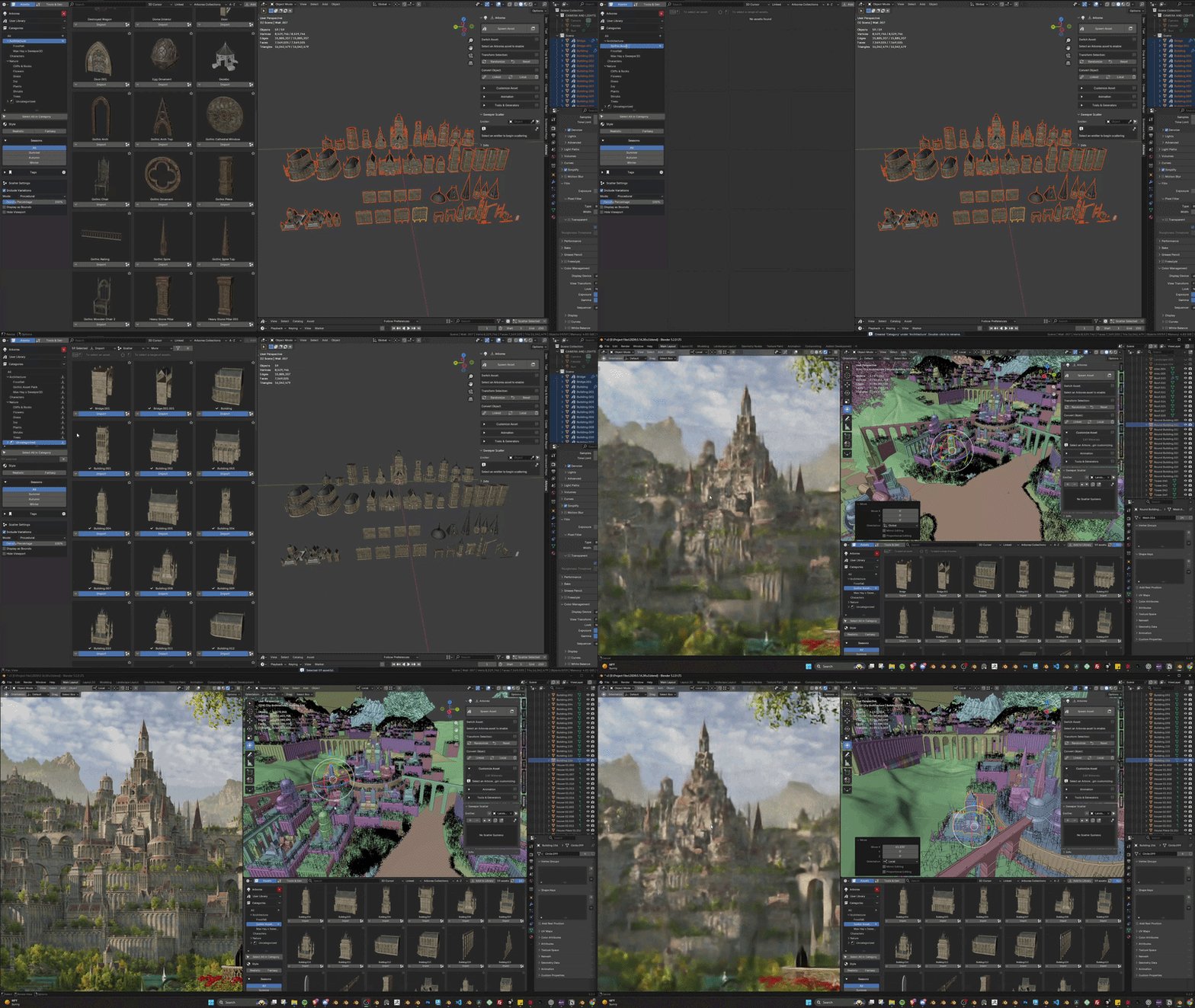
You can now save your own assets to Arborea with one click from any Blender file. They’ll appear in your personal library, ready to organize and use in any project.
Hanging Vine Generator
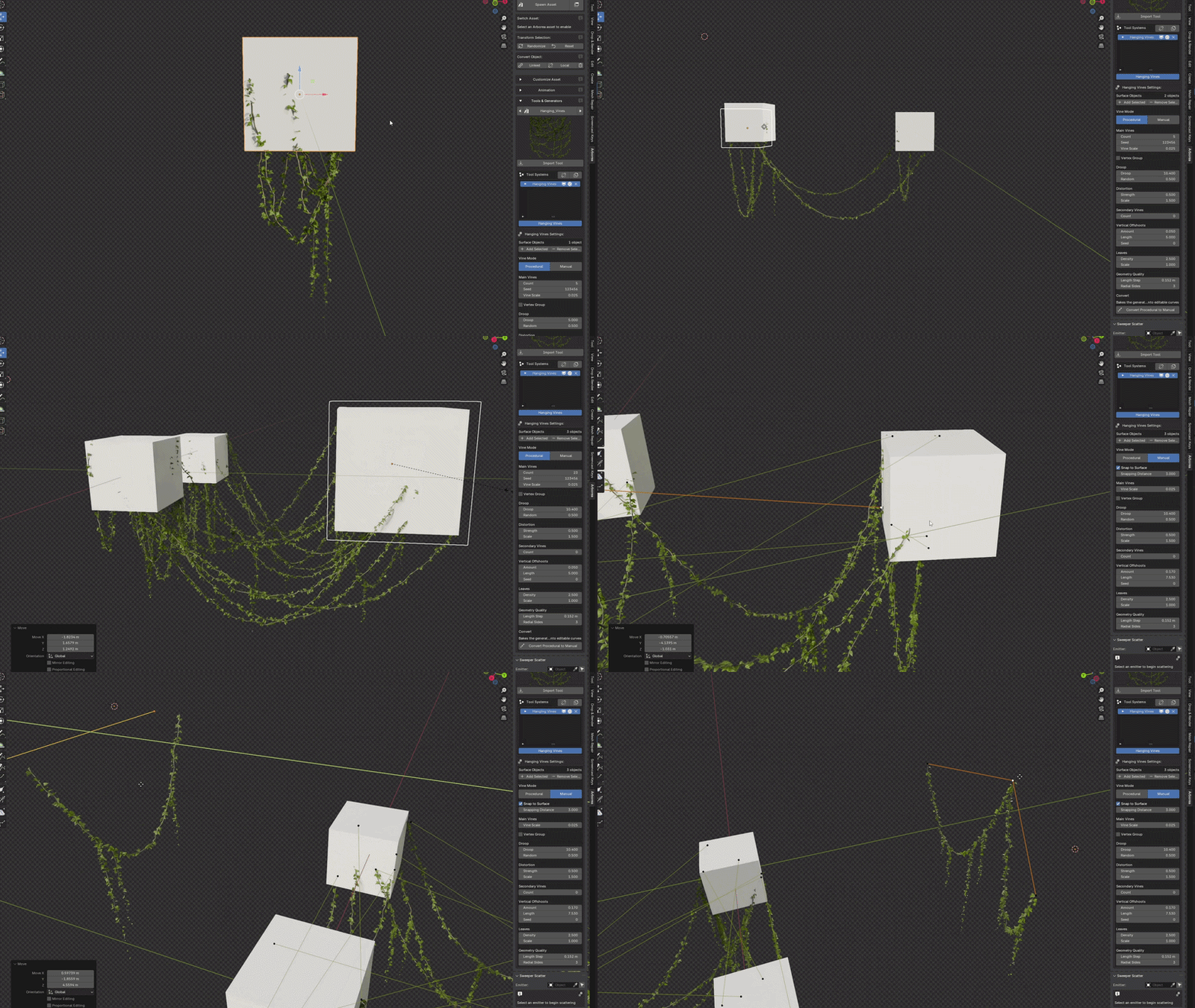
Create hanging vines that connect between objects. Generate them automatically in Procedural mode, draw and adjust them with curves in Manual mode, or convert a procedural setup to manual when you want to fine tune the placement.
Scatter Updates & Fixes
- Pattern, Proximity, and Camera Culling no longer require subdivided geometry.
- Proximity now includes a new Quick Proximity mode.
- Proximity can now work with other scatter systems.
- Fixed several issues with Manual scattering.
- Select multiple assets in the Asset Browser and scatter them together.
Other Updates & Fixes
- Bug fixes for the Snow Generator.
- Bug fixes and improvements throughout the add-on.
★★★★★ Max Hay
"By far the best nature addon out there. I haven't ever enjoyed making nature scenes nearly as much as when I started using Arborea"
★★★★★ Trey Cochran
"HIGHLY recommend to anyone who wants to create better looking environments!"
Arborea Features

Import Assets Quickly
Quickly add assets using Arborea's docked browser or popup window. One-click import gets you building instantly.

Detailed, Optimized, and Render-Ready
Arborea assets are built to look great in your renders, with high quality textures, optimized performance, and details that hold up even in close-up shots.

Animation
Arborea's built-in presets make animating trees and foliage effortless. Add natural wind motion in seconds, no setup required.

Material Adjustment
Arborea lets you tweak materials directly with built-in sliders for color, season, and variation, plus options to add moss to trunks with a single click.

Switch Season & Variation Instantly
Easily toggle between Summer, Autumn, Winter, or different model variations without re-importing. Arborea makes seasonal worldbuilding fast and flexible.

All Features Accessible with Pie Menu & Hotkeys
Arborea's custom pie menus let you access core features like asset browsers, season switching, and tools in seconds, all without breaking your flow.
Geometry Node Tools & Generators

Giant Vine Generator
Fully procedural tool for generating massive, natural-looking vines in seconds. It's incredibly flexible, fast, and one of my personal favorites. I use it in nearly every project.
Ivy Generator
A fast, procedural tool for growing realistic ivy along surfaces, walls, or terrain. Perfect for adding natural overgrowth and detail with full control over density, spread, and randomness.


Snow Generator
A procedural snow generator that makes it easy to cover any surface with realistic, natural-looking snow. Simple controls make it quick to use in any winter scene.
Draw Vines
Create custom vines by drawing directly in the viewport on any surface or in open space, with full control over shape and direction.

Hanging Vine Generator
Create hanging vines that connect between objects. Generate them automatically in Procedural mode, draw and adjust them with curves in Manual mode, or convert a procedural setup to manual when you want to fine tune the placement.

Geometry Node Scatter System
Powerful, fast, and intuitive - Arborea's scatter system makes creating environments feel smooth and creative


Scatter Directly From the Browser
Quickly scatter assets straight from the browser with one click. No setup needed. Add to active systems, bring in variations, or import assets as bounds or hidden - all without leaving the browser.
Camera Culling
Automatically hide any instances outside the camera view to keep your viewport clean and your scenes running smoothly. Perfect for optimizing heavy environments.


Multi-Emitter Scattering
Scatter across multiple surfaces in one system, making it easy to handle complex, modular, or layered scenes.
Temporary Object Viewport Masking
The viewport mask lets you work on one area at a time without slowing down the interface. Perfect for isolating dense regions and keeping your workflow fast and clean.


Group & Sync System Settings
Easily organize your scatter systems by grouping them together. Grouped systems can be synced instantly, making it simple to manage large scenes and apply changes across multiple systems at once.
Manual Scattering
Paint, adjust, and refine instances directly onto your surfaces using a set of intuitive viewport brushes. Perfect for art-directed details that need precise control.


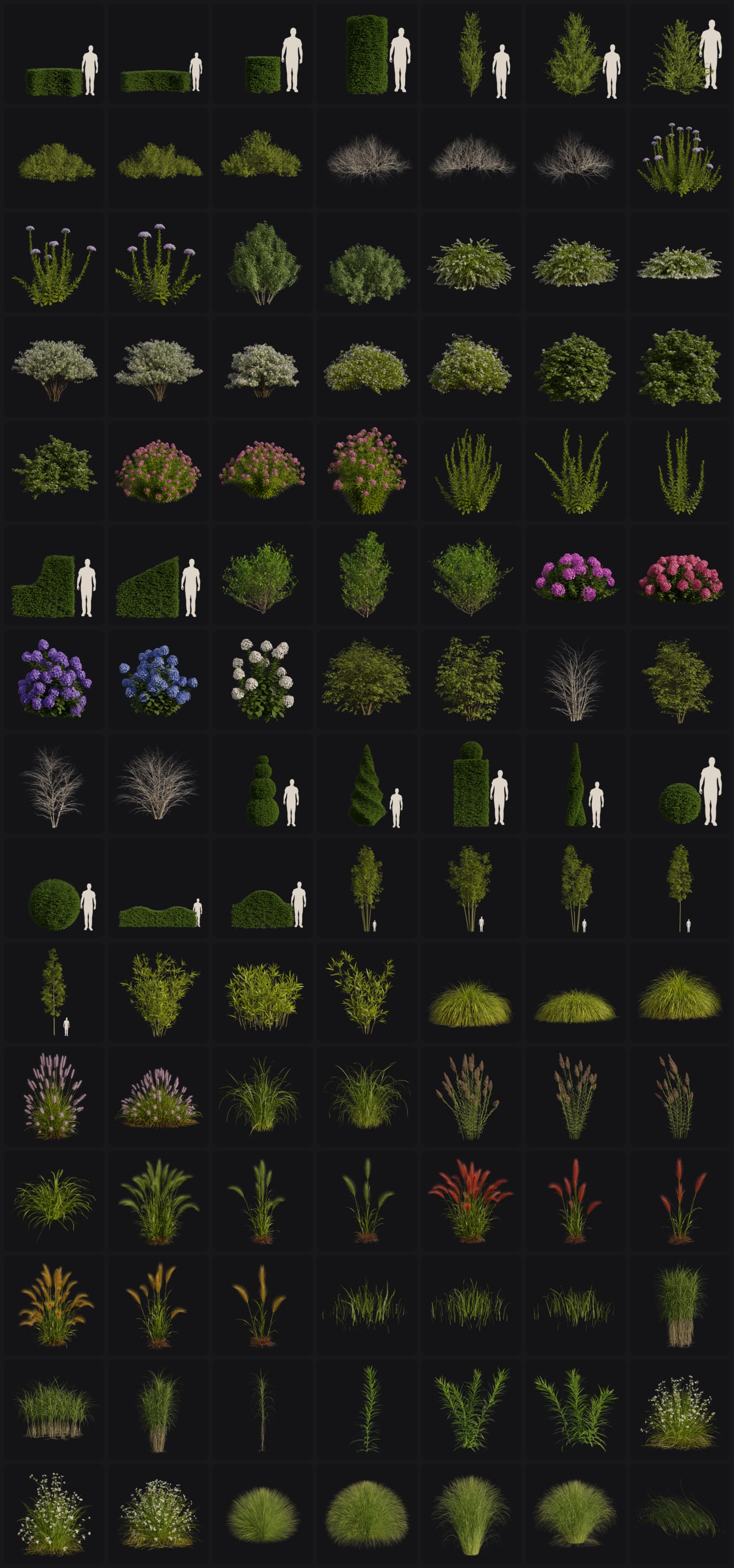
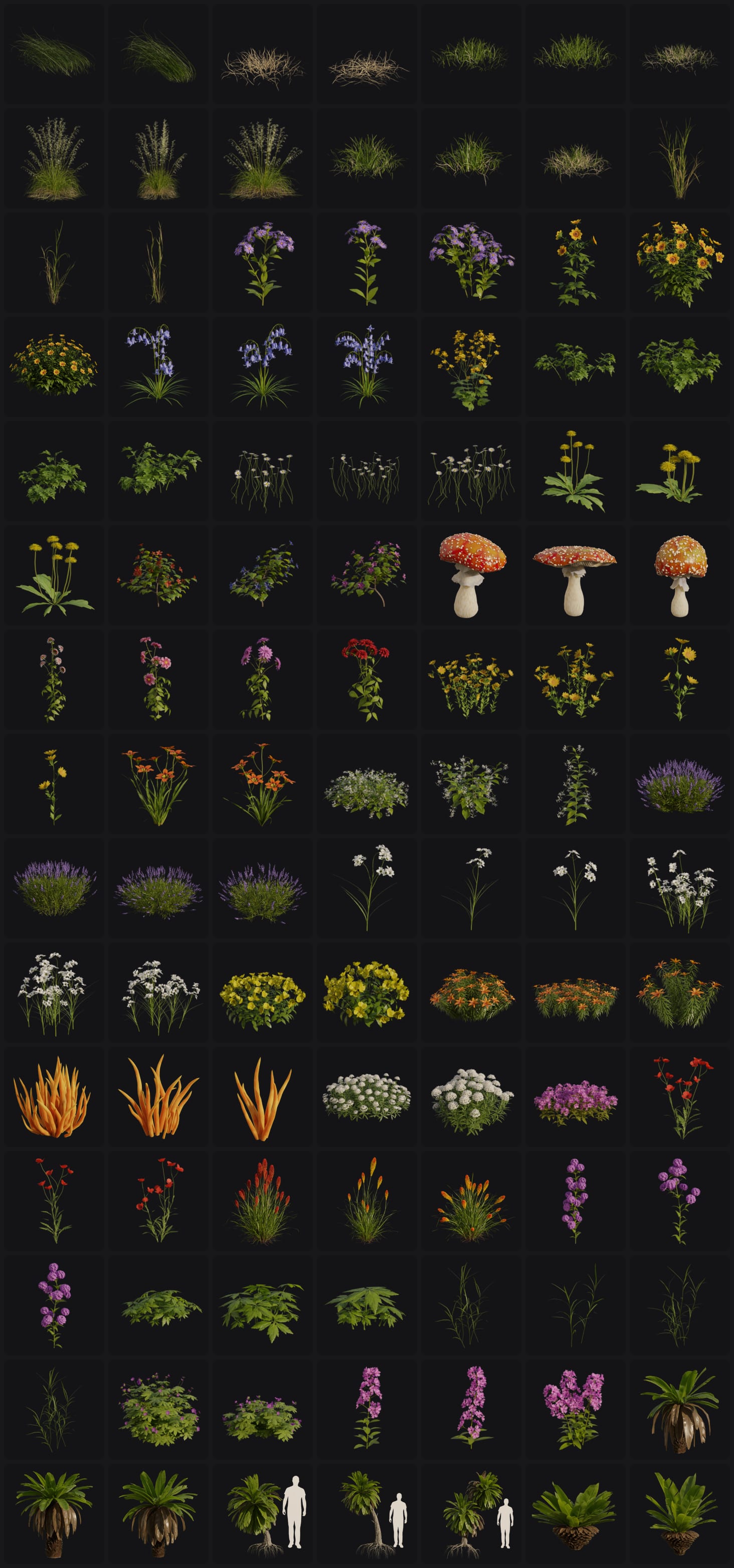
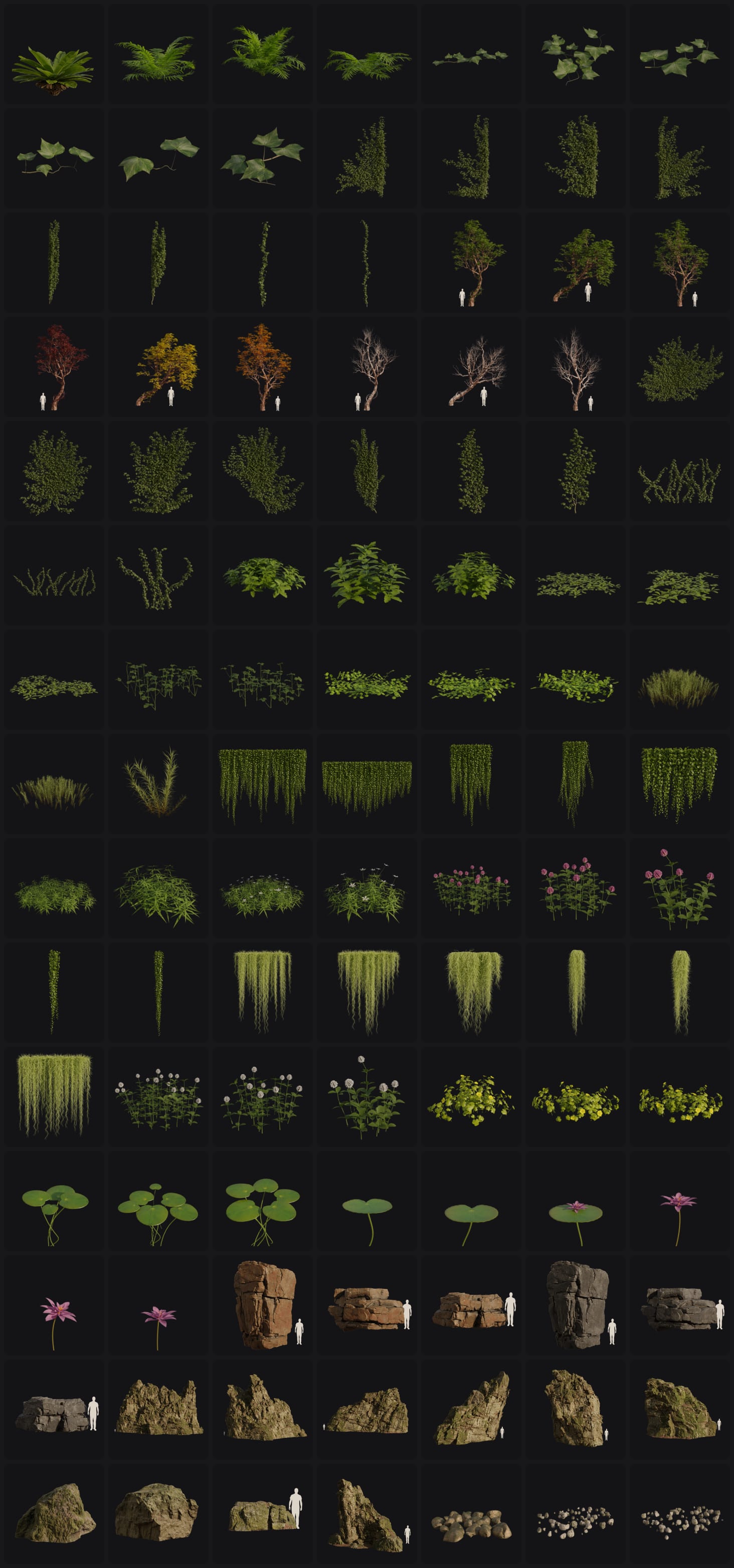
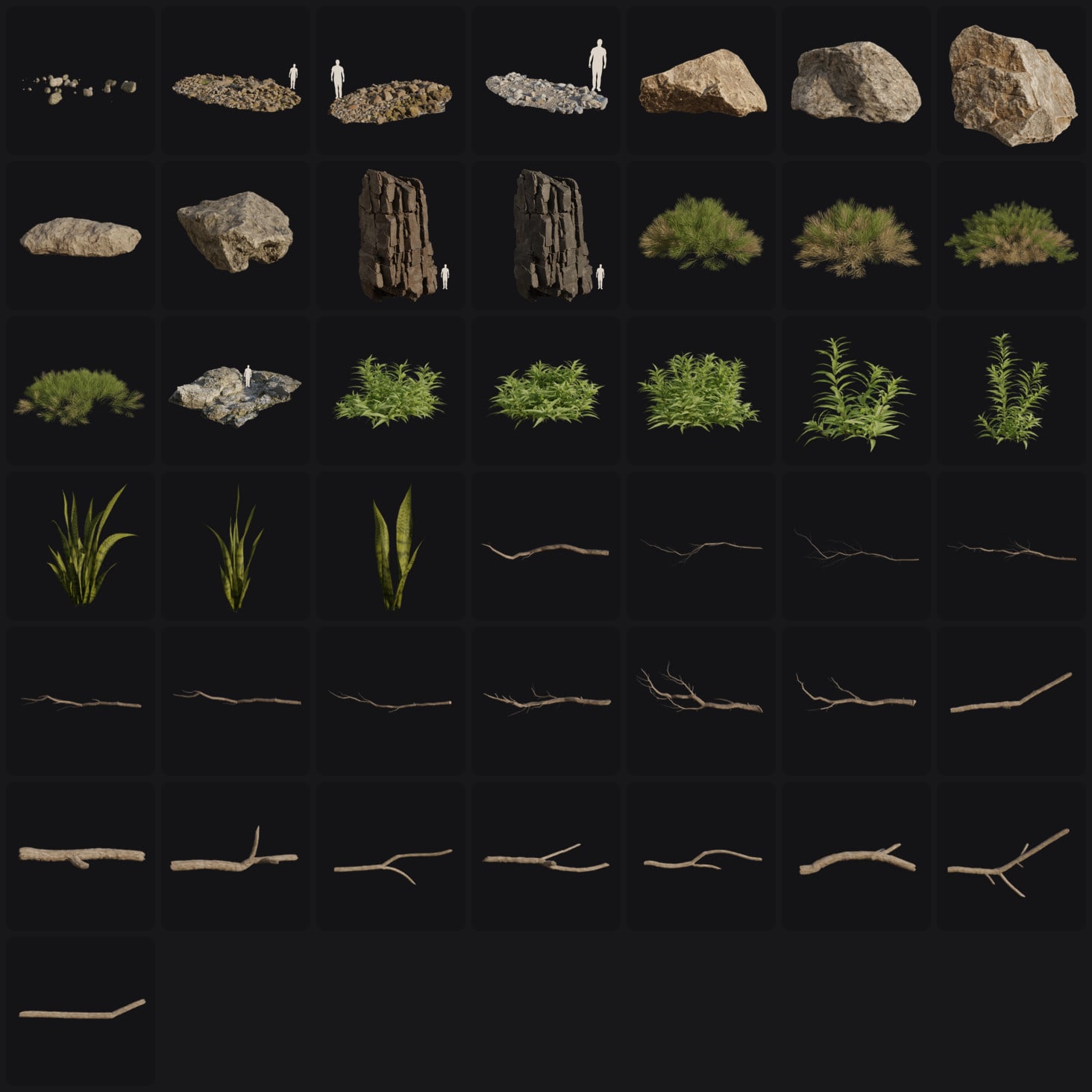
Nearly 800 Assets Included
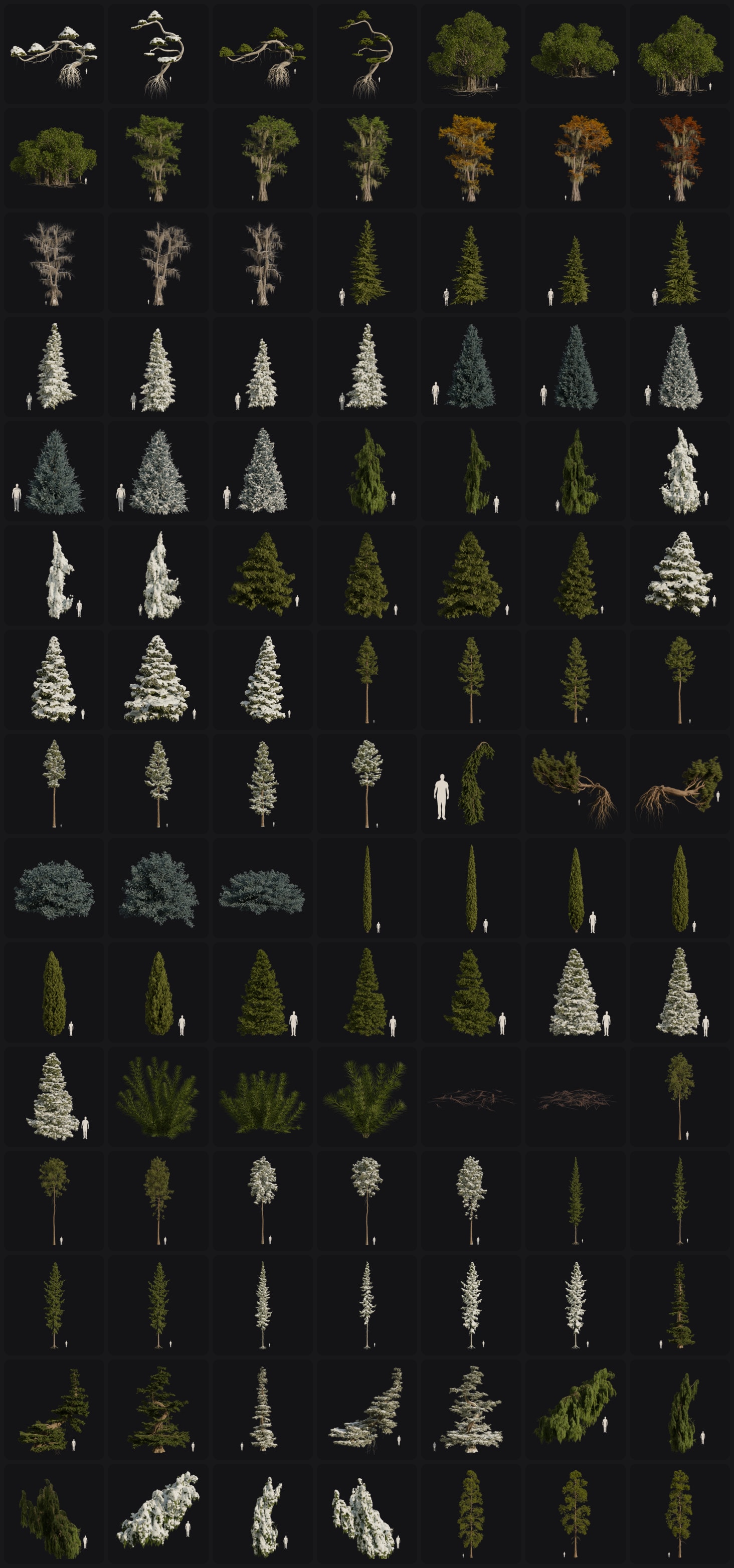
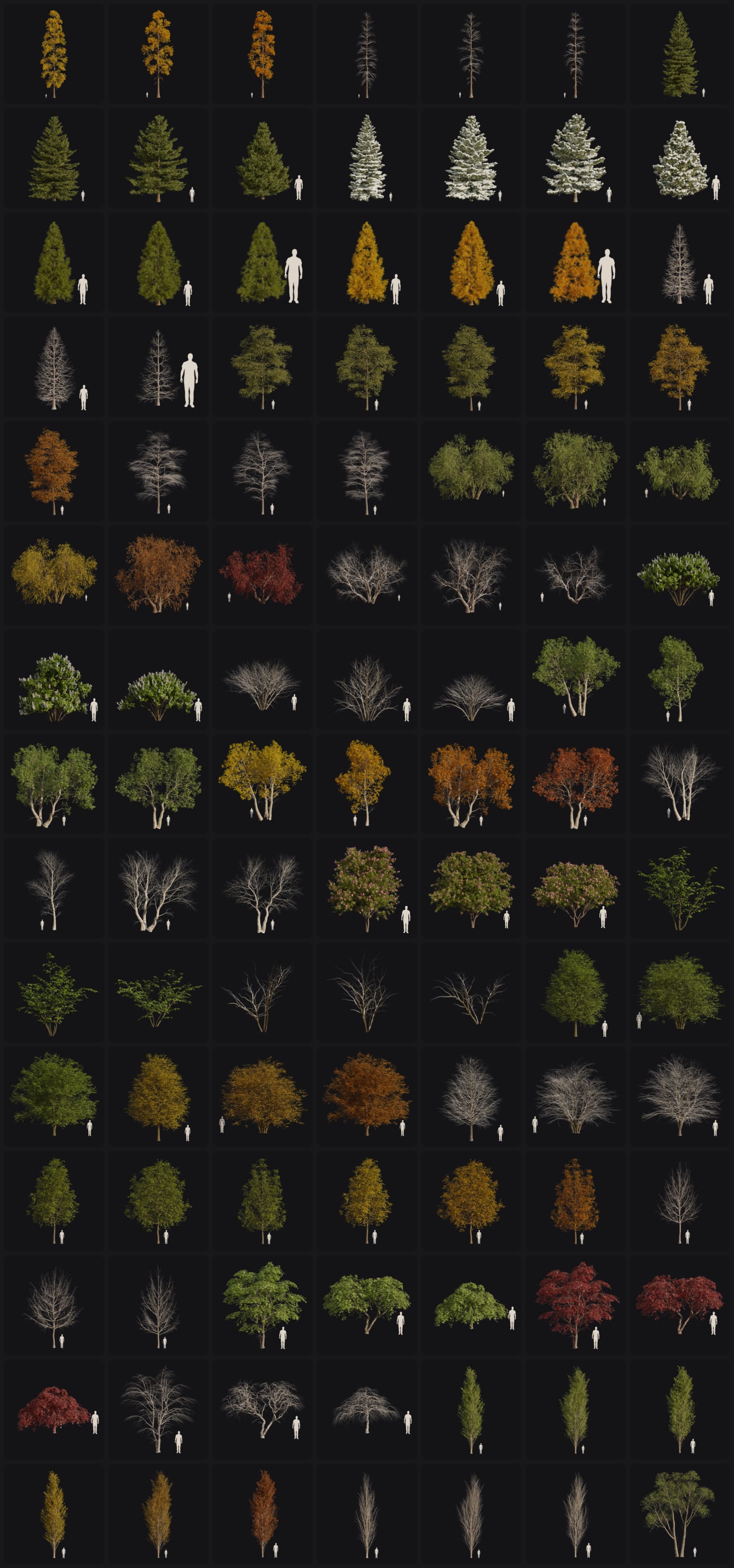
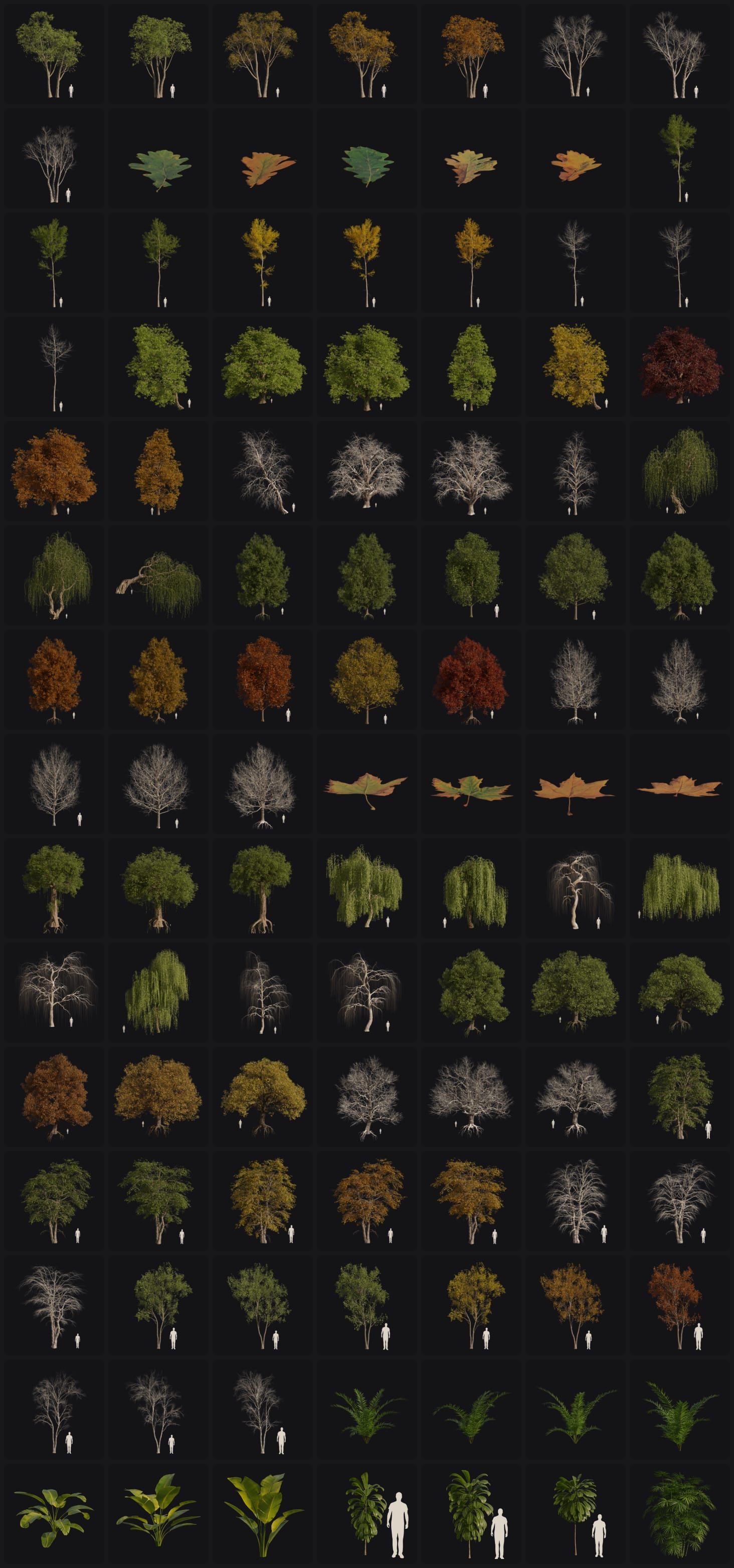
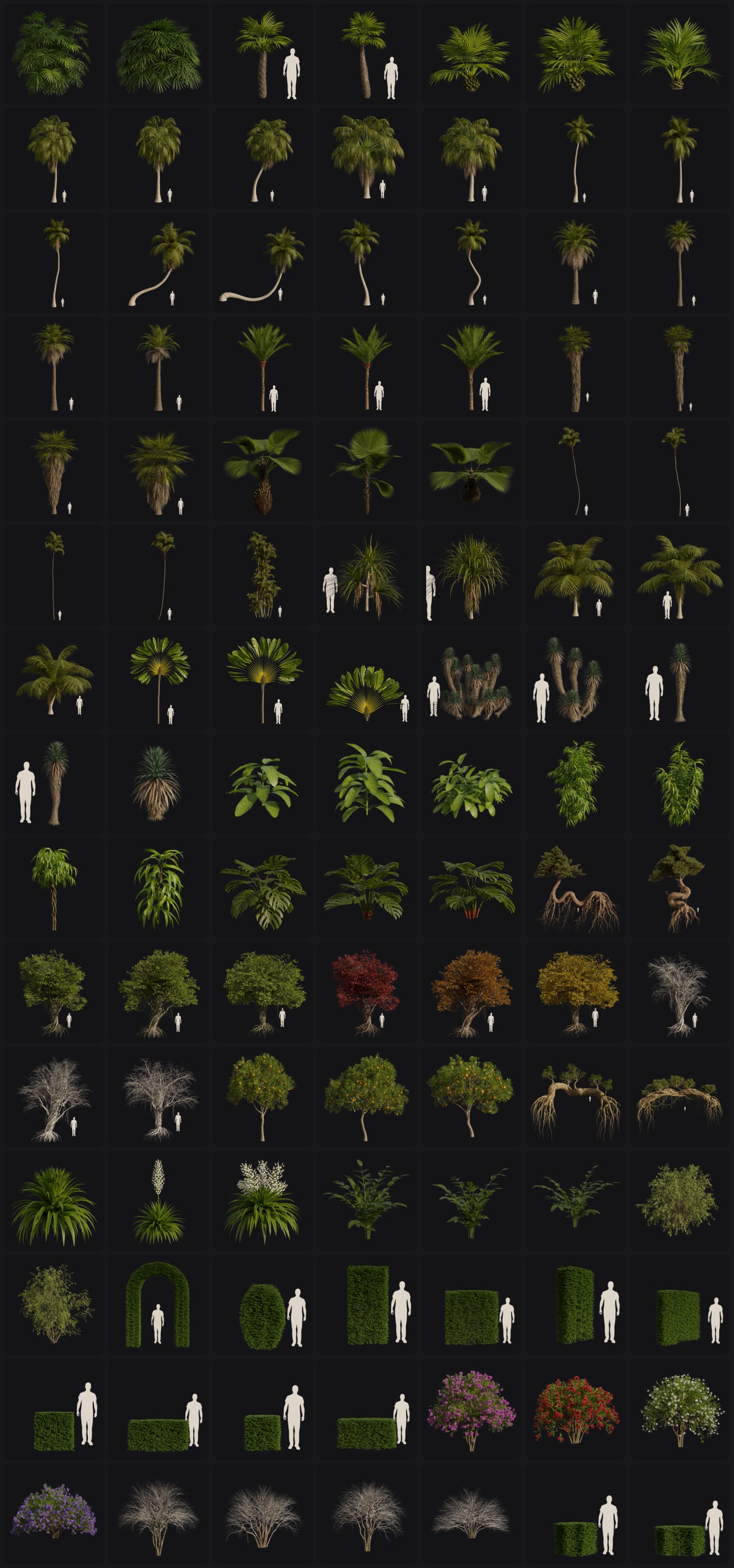
Arborea includes nearly 800 assets ranging from realistic vegetation to fantasy-inspired models. From trees and shrubs to flowers, rocks, and ground cover, everything is optimized and ready to use. The library will continue to grow with future updates.
Assets in Arborea Pro
Arborea Variants
Choose the version that fits your needs
Lite
40% assets & all features
$55
Pro
All assets & Features
$130
Free 3-Month Access to a Sweeper3D Membership
Every Arborea purchase includes 3 months of Sweeper3D Membership free, giving you access to tutorials, project files, bonus assets, and more. (cancel anytime)
- ✓ Frequent in-depth tutorials
- ✓ Full project files for finished scenes
- ✓ Full process videos of all artworks
- ✓ Early access to new Arborea assets
- ✓ Assets and packs used in my renders
- ✓ Direct support & community access
Join the Sweeper3D Discord for support, feedback, and updates:
https://discord.gg/qENMrubg3U ↗What Artists Are Saying
★★★★★
Max Hay
"By far the best nature addon out there. I haven't ever enjoyed making nature scenes nearly as much as when I started using Arborea"
★★★★★
Eynn Barrios
"This nature addon is beyond my favorite I've used. If you need a good nature addon, this will give you that and more. It's definitely one of my best purchases I've made on Superhive."
★★★★★
Simon Zhang
"Incredible nature assets. They are really high quality and offer great variations. Looking forward to the new updates! This addon definitely has what I was missing from the other vegetation addons."
★★★★★
Trey Cochran
"HIGHLY recommend to anyone who wants to create better looking environments!"
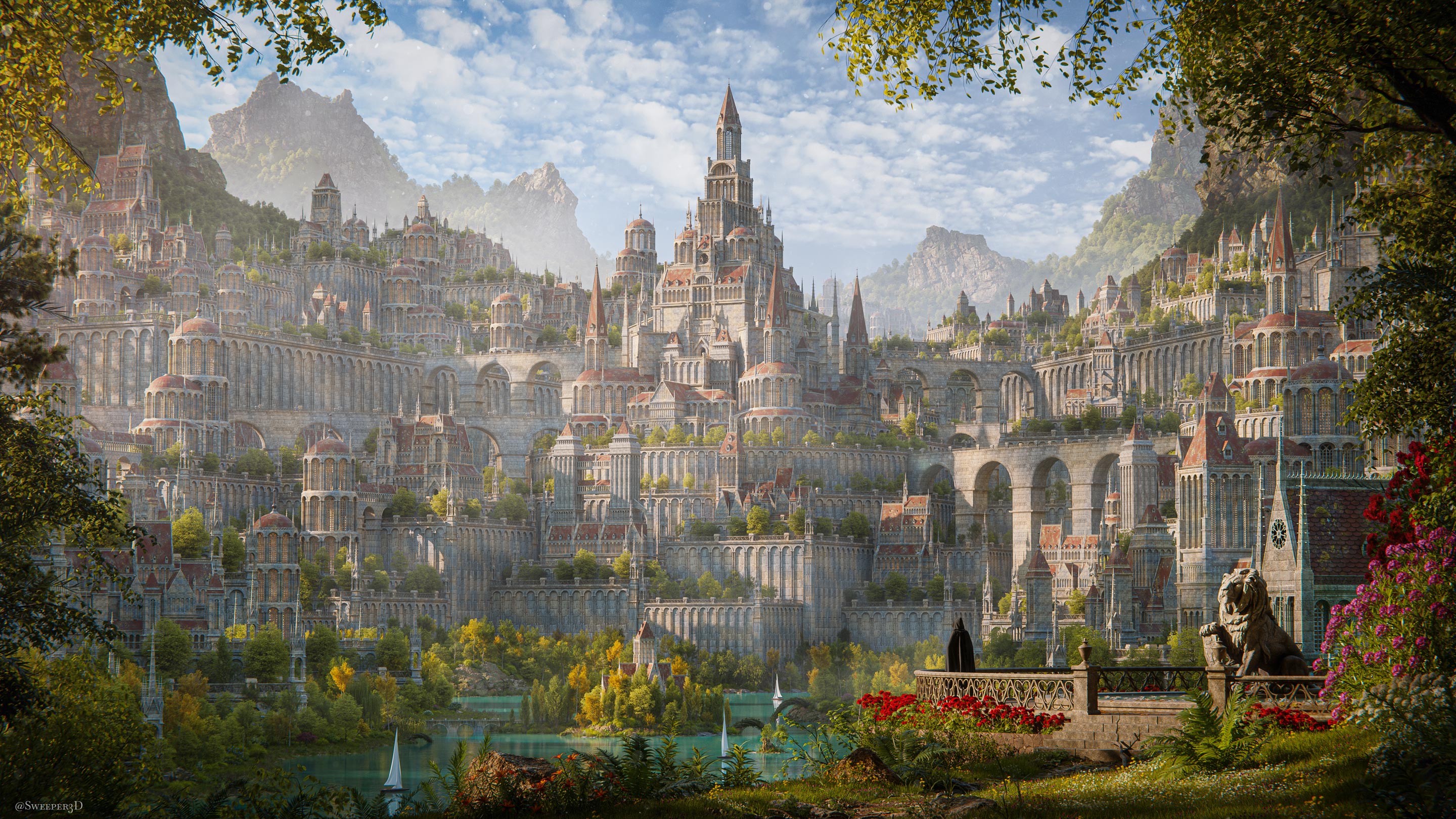
Renders Created With Arborea

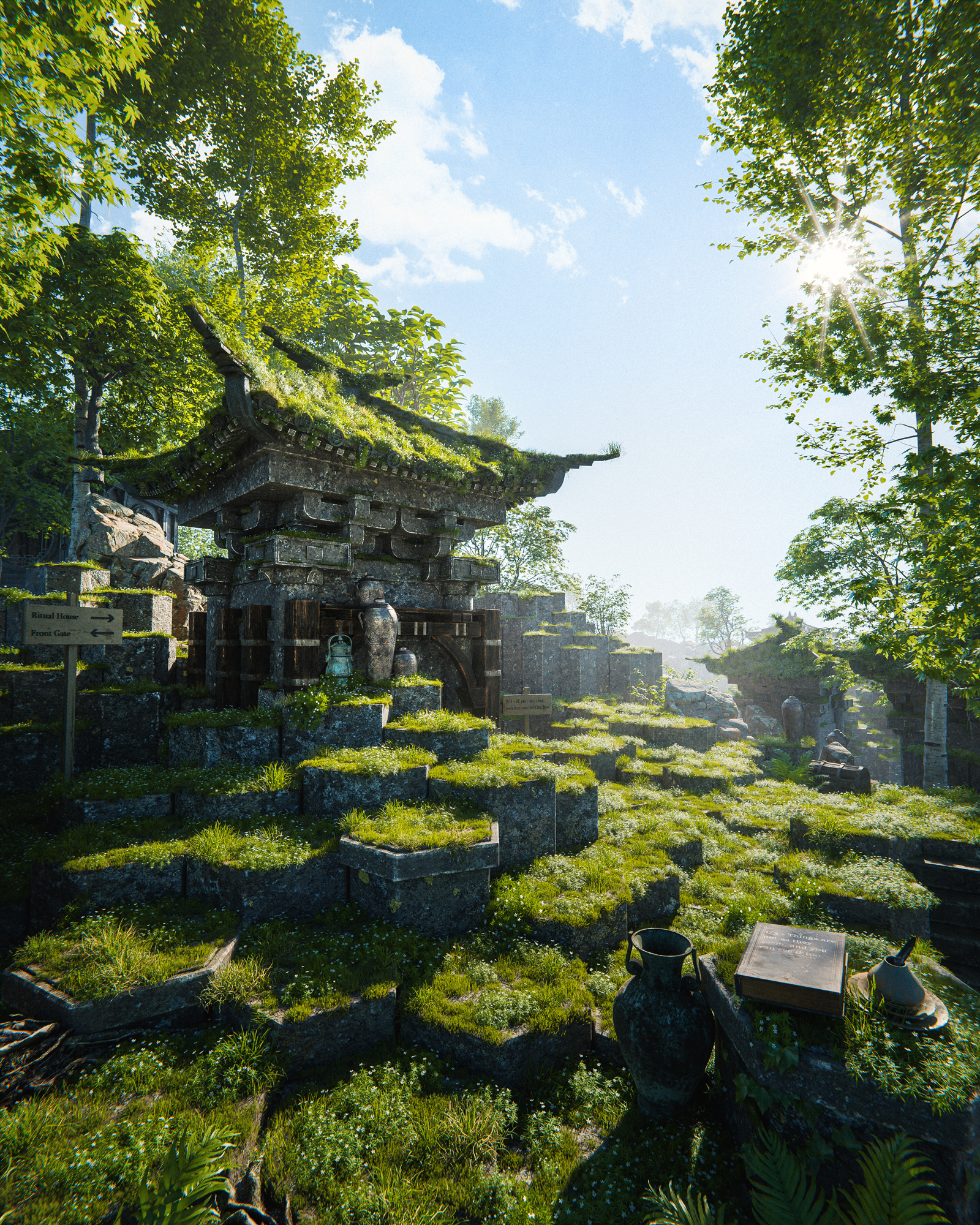

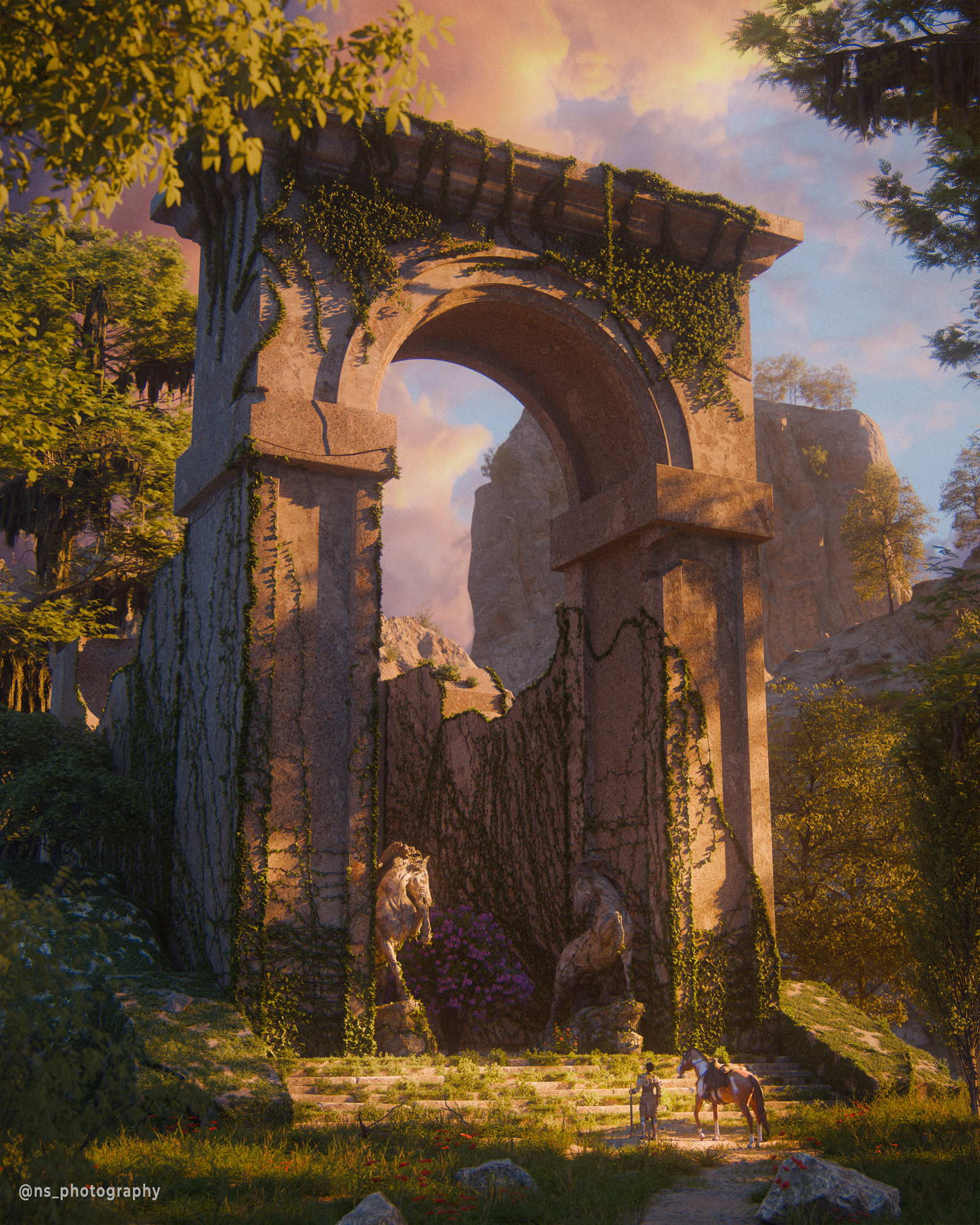


Arborea Updates
Arborea is built for my own workflow, so I'm constantly improving it, adding new features, tools, and assets as I create new work
Arborea 1.4
08/01/26Added the User Library for saving assets from any Blender file and accessing them through the Arborea browser. Added the Hanging Vine Generator with Procedural and Manual modes, including procedural-to-manual conversion. Scatter updates include Quick Proximity, proximity between scatter systems, Manual scattering fixes, and removal of the subdivision requirement for Pattern, Proximity, and Camera Culling. Snow Generator fixes and general bug fixes throughout the add-on.
Arborea 1.3
03/20/26153 new assets added in Arborea 1.3. New Update asset packs button in the Arborea Prefs. Some minimal scattering additions and bug fixes.
Arborea 1.2
11/20/25New manual scattering workflow with viewport brushes for placing, moving, tilting, scaling, and removing instances. Per-instance scaling controls for individual asset types inside scatter systems. Fast one-click asset swapping from the Arborea browser. Ability to update Arborea directly inside Blender, plus minor fixes and improvements. Local Offset slider (Scatter System).
Arborea 1.1
09/17/25Added 14 new cliff and rocky assets: a mix of large cliff faces, standalone rock formations, and detailed ground pieces - more cliff and rocky assets are planned in upcoming updates. Scatter system now supports image masking. New Swap Asset Feature and import options dropdown. Bug fixes.
Arborea 1.03
07/29/25New leaf removal feature with the ability to remove leaves randomly, by height, and by weight paint.
Arborea 1.02
07/26/25New Emitter list drop down to let you switch between your scenes emitters quickly. An invert mask button in the “Object Masking” section. Bug fixes for the viewport cube mask. Bug fixes for the multi-emitter. Compatibility with Blender 4.5 (before the switch asset options would crash Blender, This is now working).